Lever × CodeSubmit
Run CodeSubmit inside Lever so technical screens, progress, and review context stay attached to the hiring workflow instead of drifting into side tools.
Launch take-home challenges, Bytes, or CodePair from the Lever stages your team already uses.
Keep recruiters and hiring managers closer to the technical signal because the right links and status updates stay attached to the candidate record.
Cut the handoff friction between recruiting and engineering once technical follow-up starts.
Technical evaluation that fits the Lever workflow

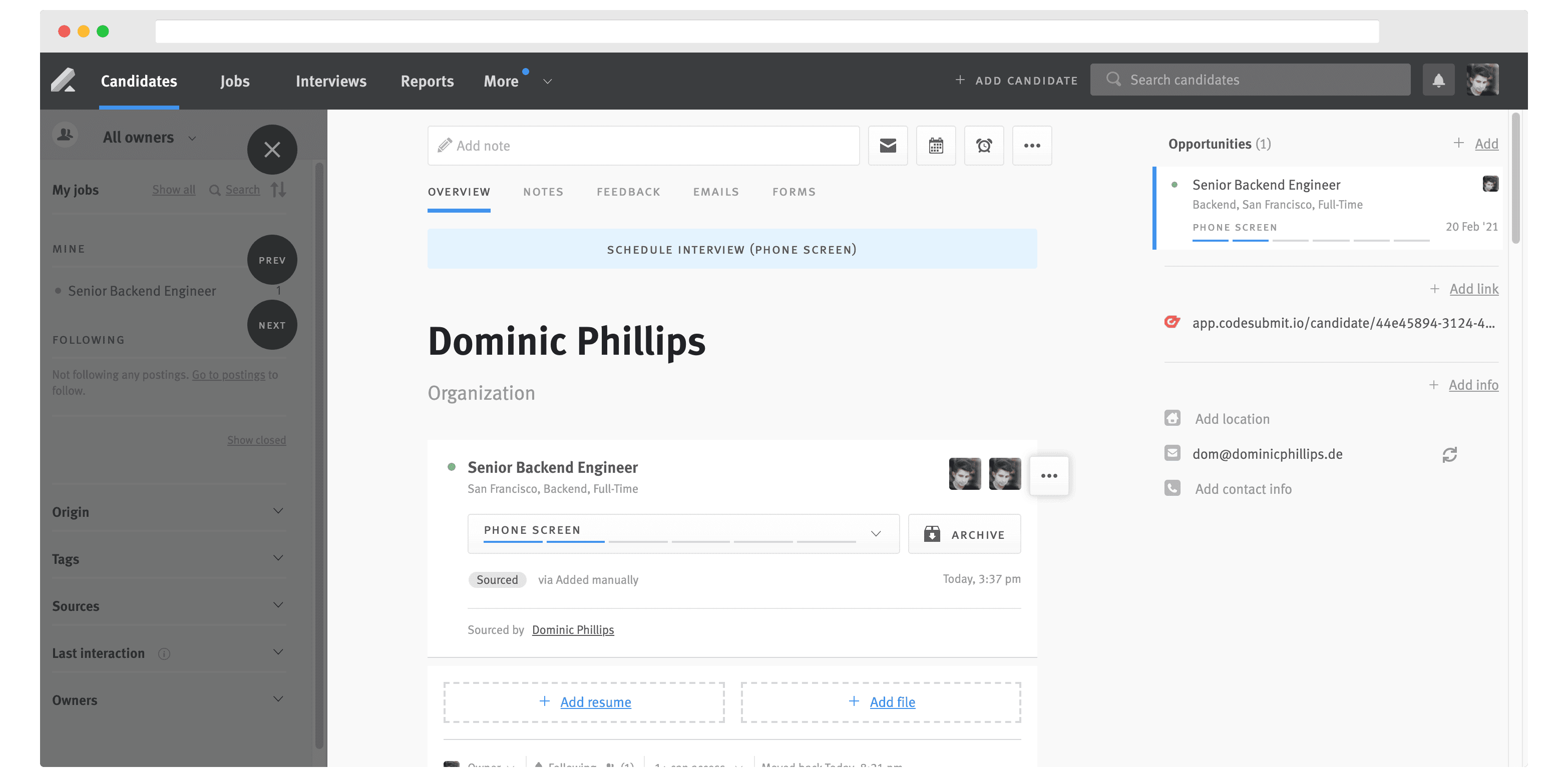
Send the right technical screen from your ATS stages without extra admin.
Keep progress, result links, and next-step context visible on the candidate record.
What your team gets
Use Lever without losing the technical signal
Keep recruiting updates, technical screens, and review handoffs in a flow that still makes sense when the pipeline gets busy.
Direct stage-based invites
Launch the right CodeSubmit workflow from the ATS stages that already define your process.
Result links where reviewers need them
Keep submission access and review context close to the candidate record instead of in side threads.
Progress updates in the hiring flow
Recruiters can see who has started, submitted, or needs follow-up without bouncing between tools.
Better recruiter to interviewer handoff
Engineering gets cleaner context before the follow-up discussion starts, which saves time later in the process.
Workflow
Keep technical screening inside the Lever process your team already trusts
The best integration keeps the workflow legible. Everyone should be able to see what was sent, what came back, and what happens next without extra cleanup.
Map the right Lever stages
Choose where take-home, Bytes, or CodePair steps belong in the hiring plan for each role.
Send the screen directly from the workflow
Candidates receive the right technical step without recruiters having to rebuild context in another tool.
Let progress update in the background
As candidates move through the screen, the hiring team can track what changed without manual status management.
Review with less context-switching
When it is time to decide who moves forward, the technical signal is already attached to the ATS record.
Assessment status and next-step context stay attached to the candidate record.
Recruiters can see where a candidate is without waiting on manual updates.
Hiring managers get a faster path from submission to follow-up review.
Technical signal lands where decisions already happen instead of in a side thread.
We help your team map the right stages, challenge types, and reviewer handoff so the integration matches how you hire.
Next Step
Keep technical decisions anchored to the Lever candidate record
If Lever is where your team runs hiring, we can help add CodeSubmit without making that workflow harder to follow.